
ScrollUtils
Better mouse scrolling and zoom for Safari.
- Status
- Available
- Needs
- macOS 15+
- Price
- One-time
- Data
- None collected

Middle-click scrolling
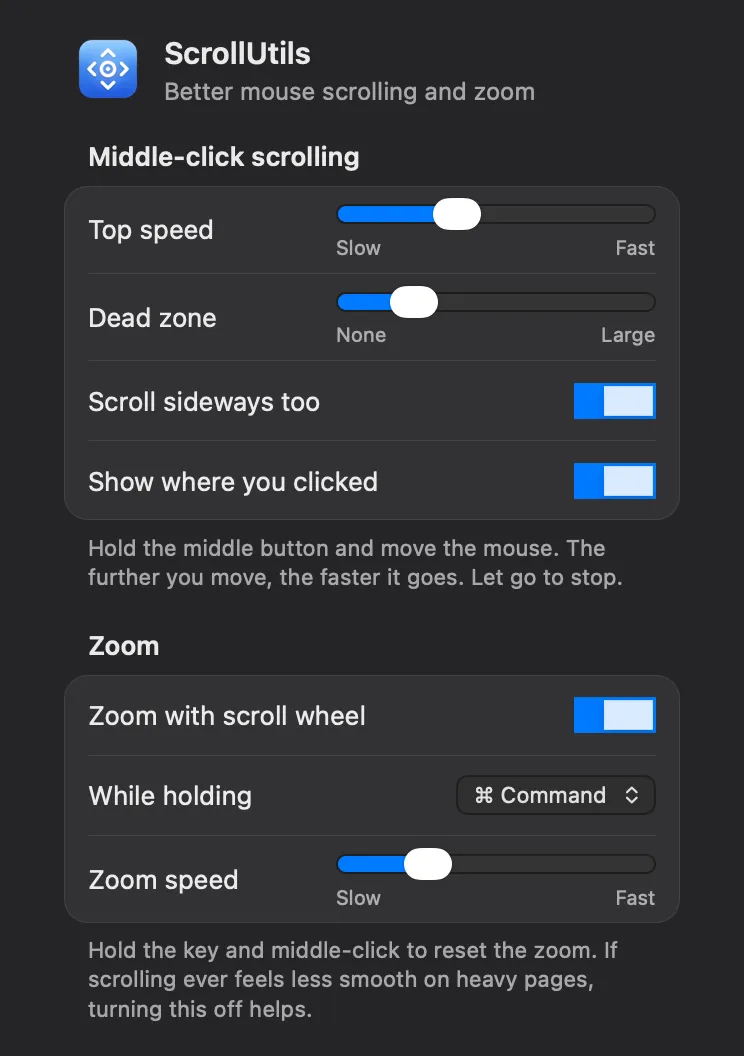
Hold the middle mouse button and move the mouse. The page scrolls in the direction you move, faster the further you go, and stops the moment you let go. Click inside a box that scrolls on its own and that box scrolls instead of the page. A middle-click on a link still opens it in a new tab.
Zoom with the scroll wheel
Hold ⌘ and turn the scroll wheel to zoom the page in Safari's own steps, so Safari remembers the zoom for each site. ⌘ and a middle-click put the page back to actual size. You can use ⌥ instead of ⌘.
Settings
The ScrollUtils button in Safari's toolbar sets the scroll speed, the dead zone around where you clicked, sideways scrolling, the marker, the zoom key and the zoom speed.
What it needs
macOS 15 Sequoia or later, with the Safari that comes with it, and a mouse with a middle button, which on most mice is a click of the scroll wheel.